Construction stages
Use System Management -> Construction Stages to keep the construction stage catalog for your organization. That list is what your organization chooses from when you add construction stages to an organization role in a project later (see Tasks and construction stages).
This screen is not the project Tasks and construction stages setup. Construction Stages here belong to your organization. In a project, you pick from this catalog when you build the project structure.
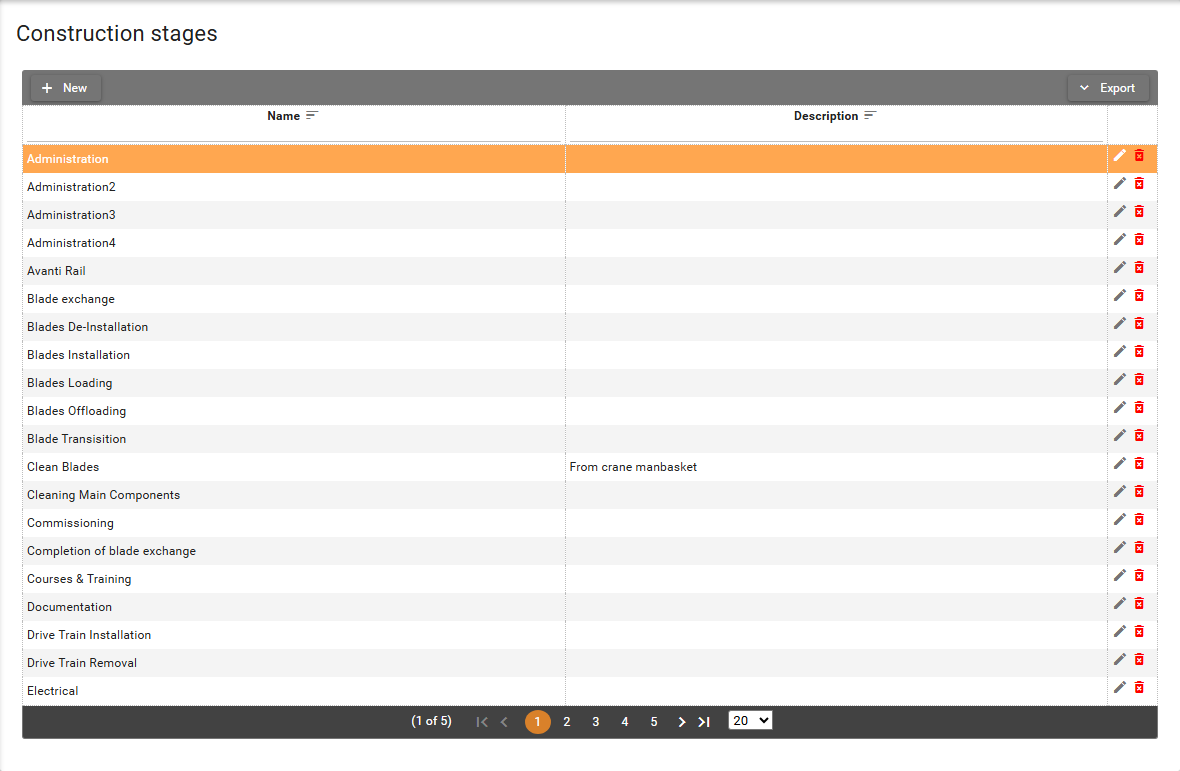
The table lists construction stages for your organization.
- Name column contains the construction stage name and is unique within your organization.
- Description is an optional short note about the stage.
Open Export and then Export to Excel to download the table.
Permissions
The screen is visible to users with View permission on
System Management -> Construction Stages functionality.
- Users with
Create/Editpermission can add and edit construction stages. - Users with
Deletepermission can remove construction stages from the catalog.
See Where I can find my permissions in SUM-IT.
Without View permission, Construction Stages does not appear under System Management.
Without Create/Edit or Delete permission, those buttons stay hidden.
Add, edit, or delete construction stages
- Click New. The Add construction stage dialog opens. Name is required. Description is optional. Cancel closes the dialog without saving.
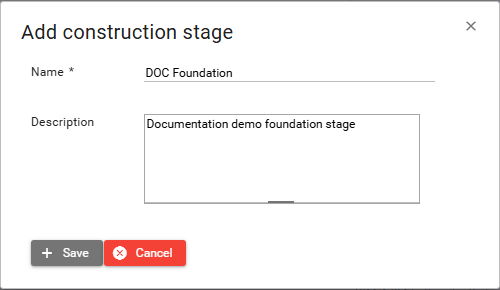
- Fill in Name, and Description if you want, then click Save. The new row appears in the table.
If another construction stage in your organization already uses the same Name, SUM-IT shows a warning that a record with the same data already exists, and the new row is not saved.
-
Click the Edit button
 on a row, or double-click the row.
Edit construction stage opens with the current values.
on a row, or double-click the row.
Edit construction stage opens with the current values. -
Change the fields you need, then click Save. The table shows the updated values.
-
Click the Delete button
 on a row.
The Delete construction stage dialog asks if you want to delete that stage.
on a row.
The Delete construction stage dialog asks if you want to delete that stage. -
Click Yes. The row is removed from the table.
You cannot delete a construction stage that is still in use. When that happens, SUM-IT shows the warning Cannot delete this record, because of dependencies. That happens when the construction stage is used in either of these places:
- Assigned to an organization role in a project (Tasks and construction stages screen).
- In a project template for your organization.