How to join or add users to project
Users with the right permissions
Users with Create/Edit permission on
Project Configuration -> Users and Persons in Project can add people
from their organization to a project they can see on the
Projects screen. That includes adding themselves, which is
how you join a project.
You add both users and persons on the same tab. A user can log in to SUM-IT. They must be on the project before they can work in it. For example, they cannot create daily reports until you add them here. A person works on site but does not have a SUM-IT login. They must be on the project before anyone can register time for them.
To add someone or join the project:
-
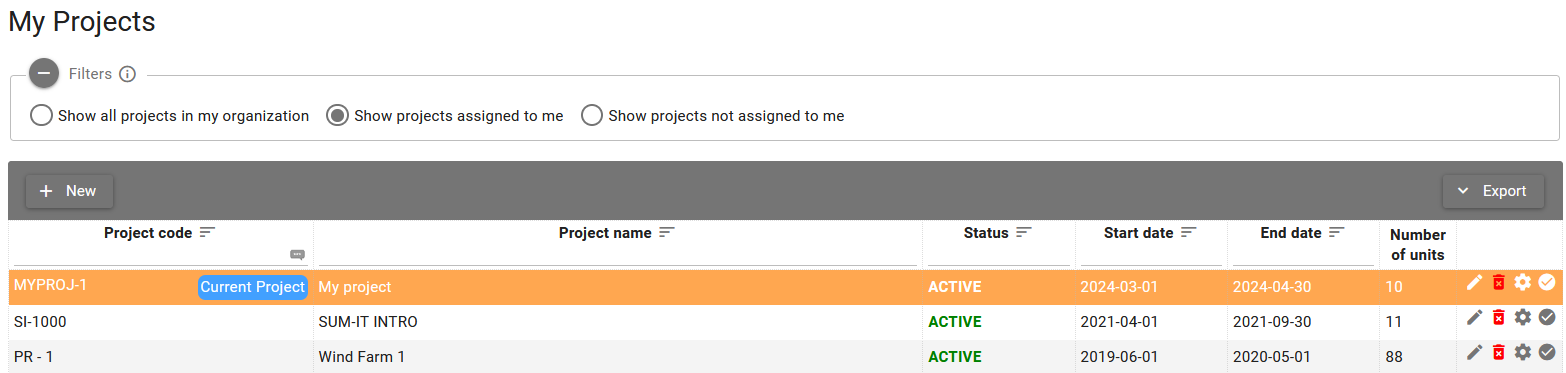
Go to the Projects screen.

-
Open Project configuration by clicking the Project configuration button.

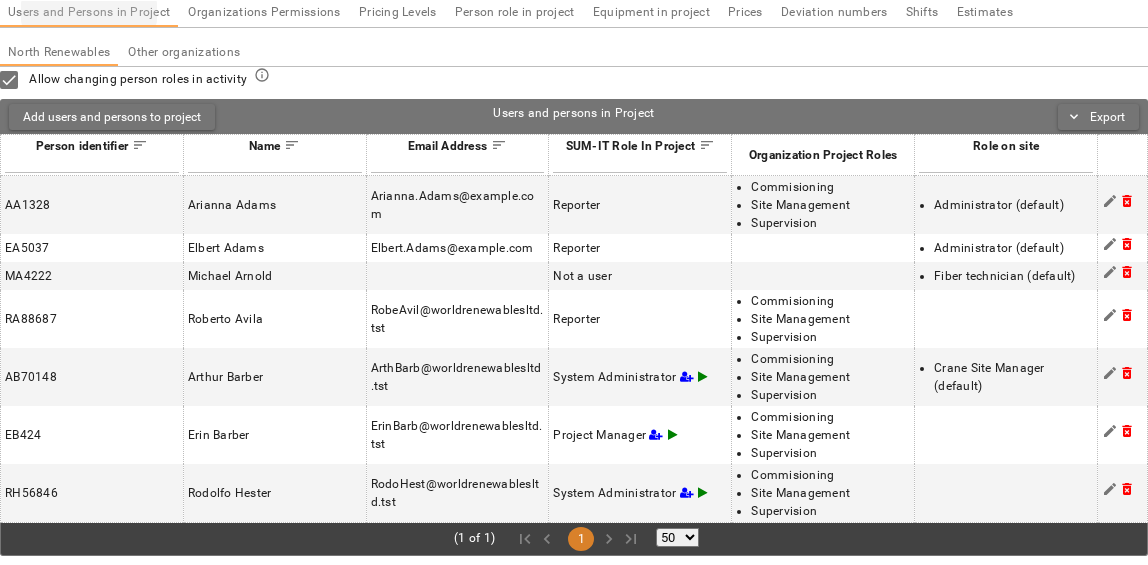
- Open the Users and Persons in Project tab. It is the first tab on Project configuration. Click Add users and persons to project to choose people, then set their roles. For the full steps, see Users and persons in project.
Users who do not have those permissions
If you do not have permission to add people to a project (for example a Reporter), you only see projects that are already assigned to you. Ask someone in your organization who can manage project membership — for example an Administrator, Project Manager, or Site Manager — to add you.
You can tell when you cannot browse other projects: the filter options on the Projects screen are disabled, as in the picture below.
