Unit types
A construction project may include more than one type of unit. On a wind farm, those types might be different turbines. One unit type may need different tasks or construction stages than another. The work may take a different amount of time.
Use Unit Types tab to define the unit types on the template. When a project is created from the template, SUM-IT copies those unit types into the project.
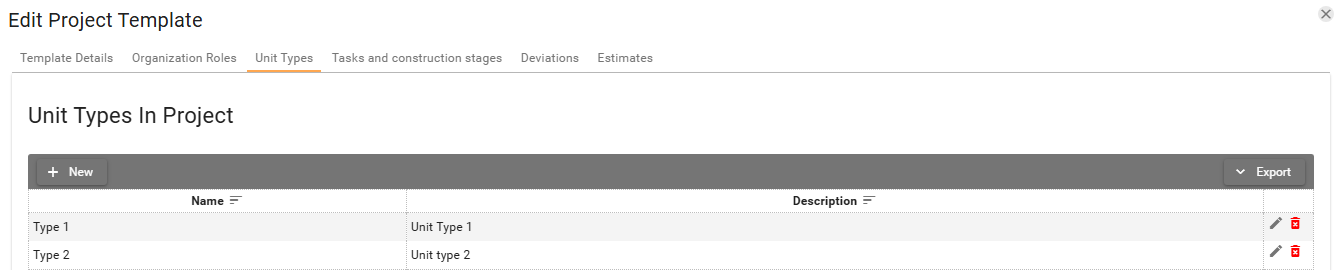
Creating, editing and deleting unit type:
-
Click New. The Add unit type to project dialog opens. Name is required. Description is optional.
-
Fill in Name, and Description if you want one, then click Save. The new row appears in the table.
If another unit type on this template already uses the same Name, SUM-IT shows Cannot save record because record with the same data already exists. The new row is not saved.
-
Click the Edit button
 on a row, or double-click the row.
Edit unit type in project opens with the current values.
on a row, or double-click the row.
Edit unit type in project opens with the current values. -
Change the fields you need, then click Save. The table shows the updated values.
-
Click the Delete button
 on a row.
The dialog title is Delete unit type in project.
The message is Do you want to delete the record: followed by the unit type name.
on a row.
The dialog title is Delete unit type in project.
The message is Do you want to delete the record: followed by the unit type name. -
Click Yes. The row is removed from the table. No leaves the row in place.