Organization roles
An organization role is a type of work that an organization performs in the project, such as Installation or Crane. The template stores those role names. When a project is created from the template, SUM-IT copies the names into the project. You then assign each role to the organizations that will do that work. Open this tab after the template has been saved.
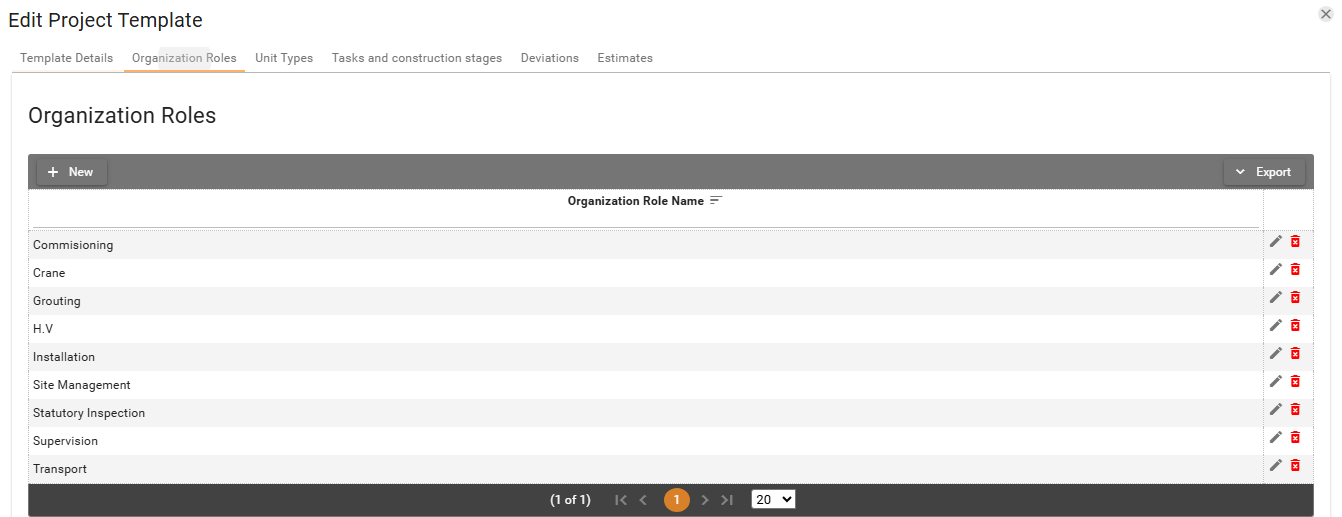
-
To add an organization role, click New. That opens the dialog for creating or editing the organization role. The only field is Organization Role Name, and it is required.
-
Fill in Organization Role Name, then click Save. The new row appears in the table. Cancel closes the dialog without saving.
-
To edit the organization role, click the Edit button
 on a row, or double-click the row.
 -
Click the Delete button
 on a row.
The dialog title is Delete Organization Role.
The message is Do you want to delete the record: followed by the role name.
on a row.
The dialog title is Delete Organization Role.
The message is Do you want to delete the record: followed by the role name. -
Click Yes. The row is removed from the table. No leaves the row in place.