Health and Safety (HSE)
The HSE area in SUM-IT helps you manage health, safety, and certificates in one place: organization-wide certificate registers, project certificates (including review and compliance views), incident reporting, and (for project owners and admins) HSE settings such as required certificate types and enabling subcontractor coverage.
Project menu (Health and Safety) — This menu appears in the project when HSE is available for your work there: typically when your organization has enabled the HSE module, or when a project owner has turned on HSE coverage for your organization in that project (for example a subcontractor who does not use HSE at organization level can still work with certificates and other HSE features inside that project). If you do not see the menu, HSE may not be active for this project for your organization, or your user role may not include the related permissions.
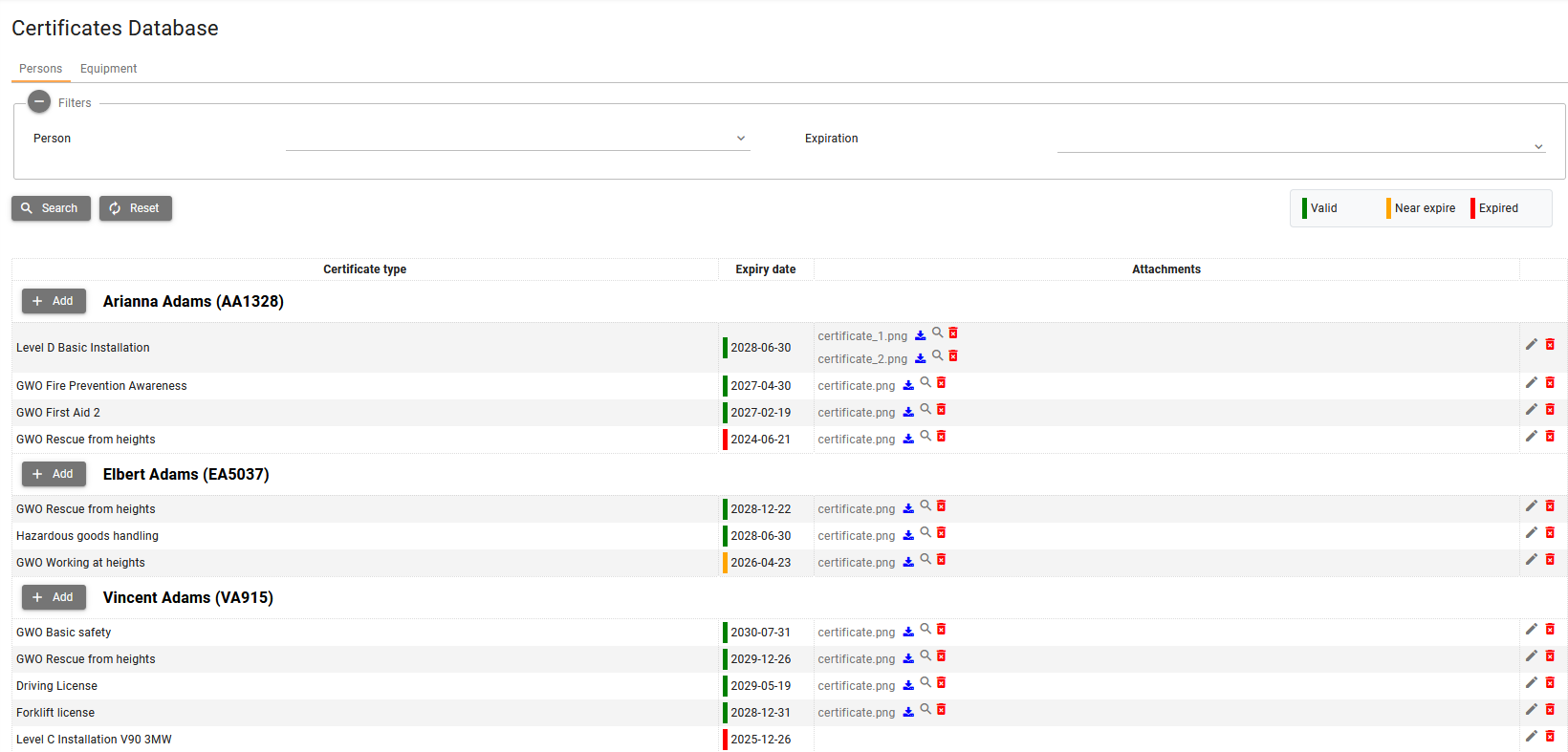
Organization menu (System management → Certificates Database) — This entry is shown only when your organization has enabled the HSE module for itself. Project coverage alone does not unlock it: if you only use HSE because project owner enabled coverage for you in a project, but your organization has not enabled the HSE module, you will not see Certificates Database under System management. You can still use project HSE screens (such as Health and Safety → Certificates) in projects where coverage applies.
Summary — To maintain organization-level person and equipment certificates (company-wide, under System management), the organization must enable the HSE module. Project-level HSE features can be available through your own module or, for subcontractors, through the project owner’s coverage without enabling HSE for the whole organization.
You can confirm what you are allowed to do under Where I can find my permissions in SUM-IT.


What you can do
- Incident reporting — Register and track safety-related events in the project (with comments, attachments, and status workflow).
- Certificates Database (organization) — Maintain person and equipment certificates for your organization under System management (company-wide register).
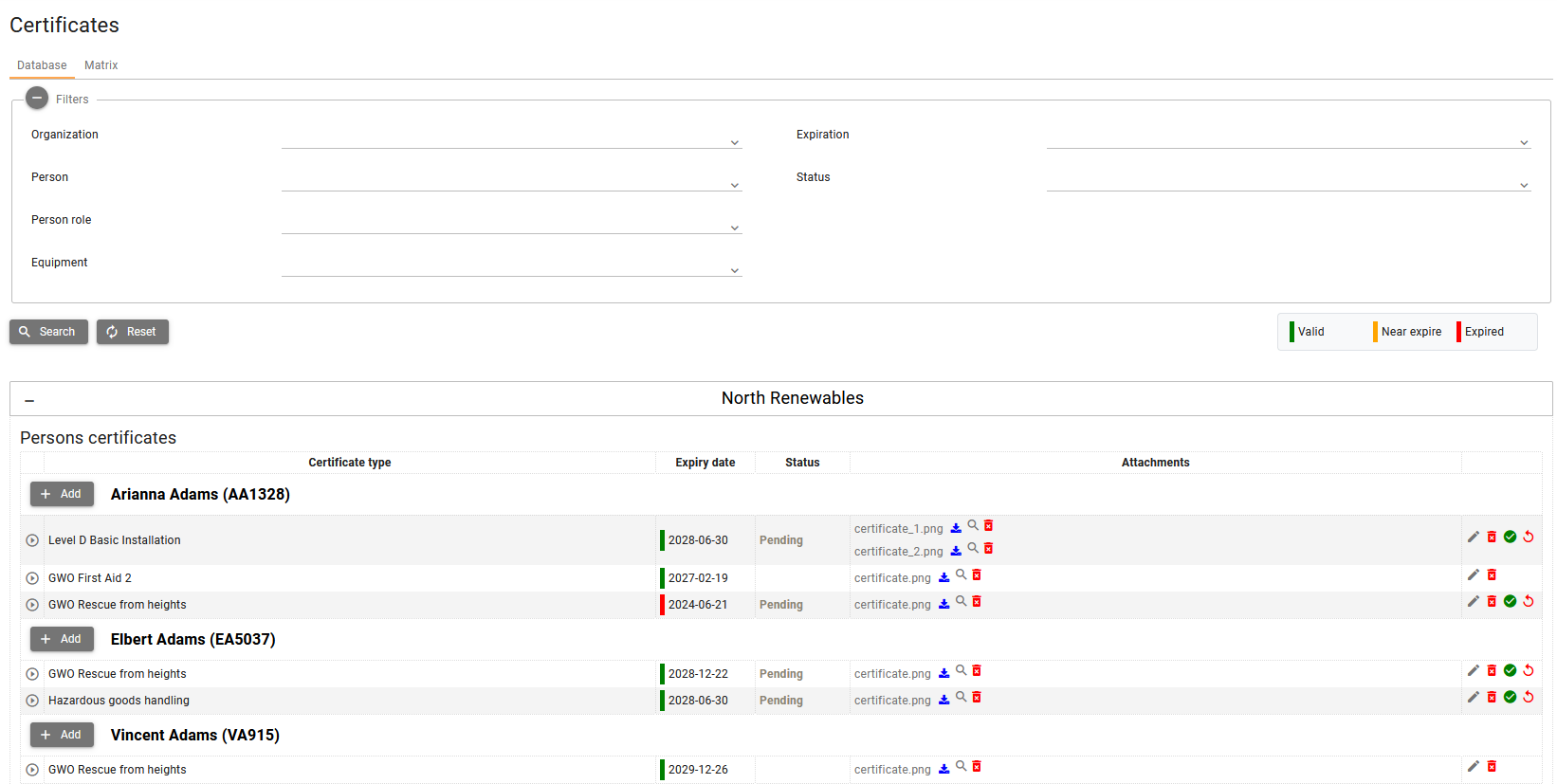
- Certificates Database (project) — Work with project certificates on the Certificates screen, Database tab: filters, add/edit, review workflow, comments, and attachments.
- Certificates Matrix — See compliance against required certificate types (matrix view and export).
- HSE settings — Configure required certificates, and (as project owner) enable coverage for subcontractors who do not use HSE on their own account.
- Certificate notifications — How near expiry and expired certificate alerts appear in the notification list.
Two different “Certificates Database” screens
SUM-IT uses the same idea in two places:
| Context | Where to open | What it is for |
|---|---|---|
| Organization | System management → Certificates Database | Certificates for your people and equipment, shared across the organization. |
| Project | Health and Safety → Certificates → Database tab | Certificates in the selected project, including visibility and review rules between organizations in that project. |
Use the organization register to keep master data up to date; use the project Database tab for site-specific compliance and acceptance in that project.
Organization
Project
Enabling HSE and quick links
Organization administrators can open Apps & modules → HSE & Certificates to read about the module, enable or disable it, and see pricing notes.

After HSE is active, the Health and Safety menu includes Certificates and HSE settings when your permissions allow, and Incident reporting when you have a project role assignment for the current project.
Related topics
- Projects — Select the active project before using project HSE screens.
- Where I can find my permissions in SUM-IT — See what you are allowed to do in SUM-IT.